index
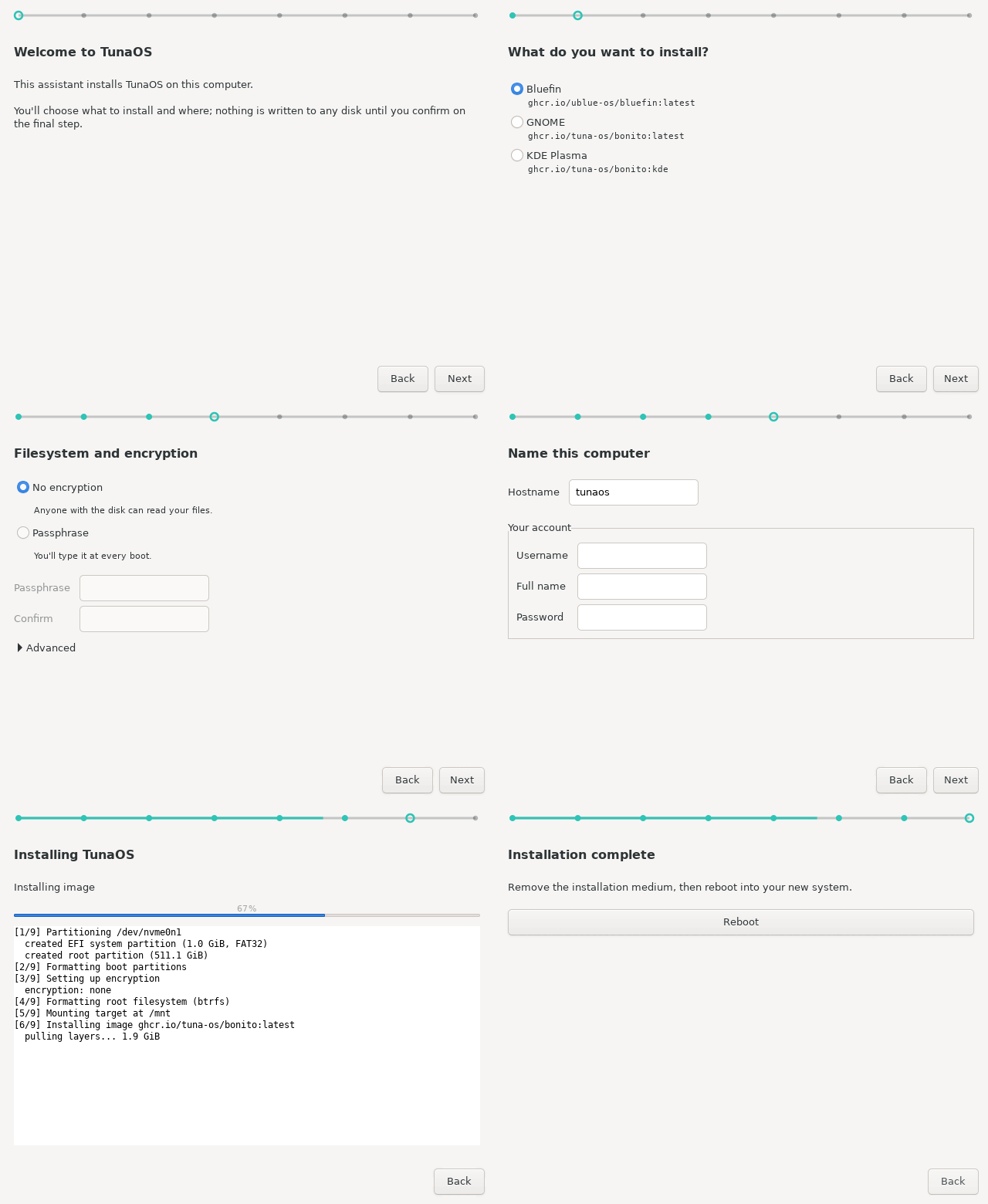
Every frame is generated in CI from the real wizard — see the step-by-step walkthrough.
Classic GTK3/PyGObject wizard that drives the
fisherman bootc install
backend. The plainest of the TunaOS installer frontends by design — see
DESIGN.md (the trawl line is the entire brand budget) and the
shared installer frontend contract.
Flow
Welcome → Source (image catalog, offline badges, live-ISO self-install) → Destination → Filesystem & encryption → Identity → Confirm → Progress → Done.
Offline installs: detects live-ISO mode via bootc status (empty image in
the recipe installs the running system) and probes embedded OCI stores
(/etc/tuna-installer/offline-stores, $TUNA_OFFLINE_STORES,
/usr/share/tuna-installer/oci-store), passing them as
additionalImageStores.
Run (development)
# Dependencies (Fedora)
sudo dnf install -y python3-gobject gtk3

./tuna-installer-xfce
Outside a Flatpak it invokes sudo /usr/local/bin/fisherman; inside it uses
flatpak-spawn --host pkexec /usr/local/bin/fisherman (polkit action
org.tunaos.Installer.install must be installed on the host by the ISO
build).
Testing
Run unit tests via pytest:
pytest tests/
Or via Python's built-in unittest:
python3 -m unittest discover tests/
Headless GUI screenshot capture and verification:
python3 tests/gui/capture-screens.py docs/screenshots
Contributing
Please see CONTRIBUTING.md for local setup, testing workflows, and PR submission guidelines.
Flatpak
flatpak-builder --user --install --force-clean build \
  flatpak/org.tunaos.InstallerXfce.json
flatpak run org.tunaos.InstallerXfce
Runtime is org.gnome.Platform (ships GTK3 + PyGObject; the app uses no
libadwaita and follows the system GTK theme).
License
GPL-3.0-or-later