index
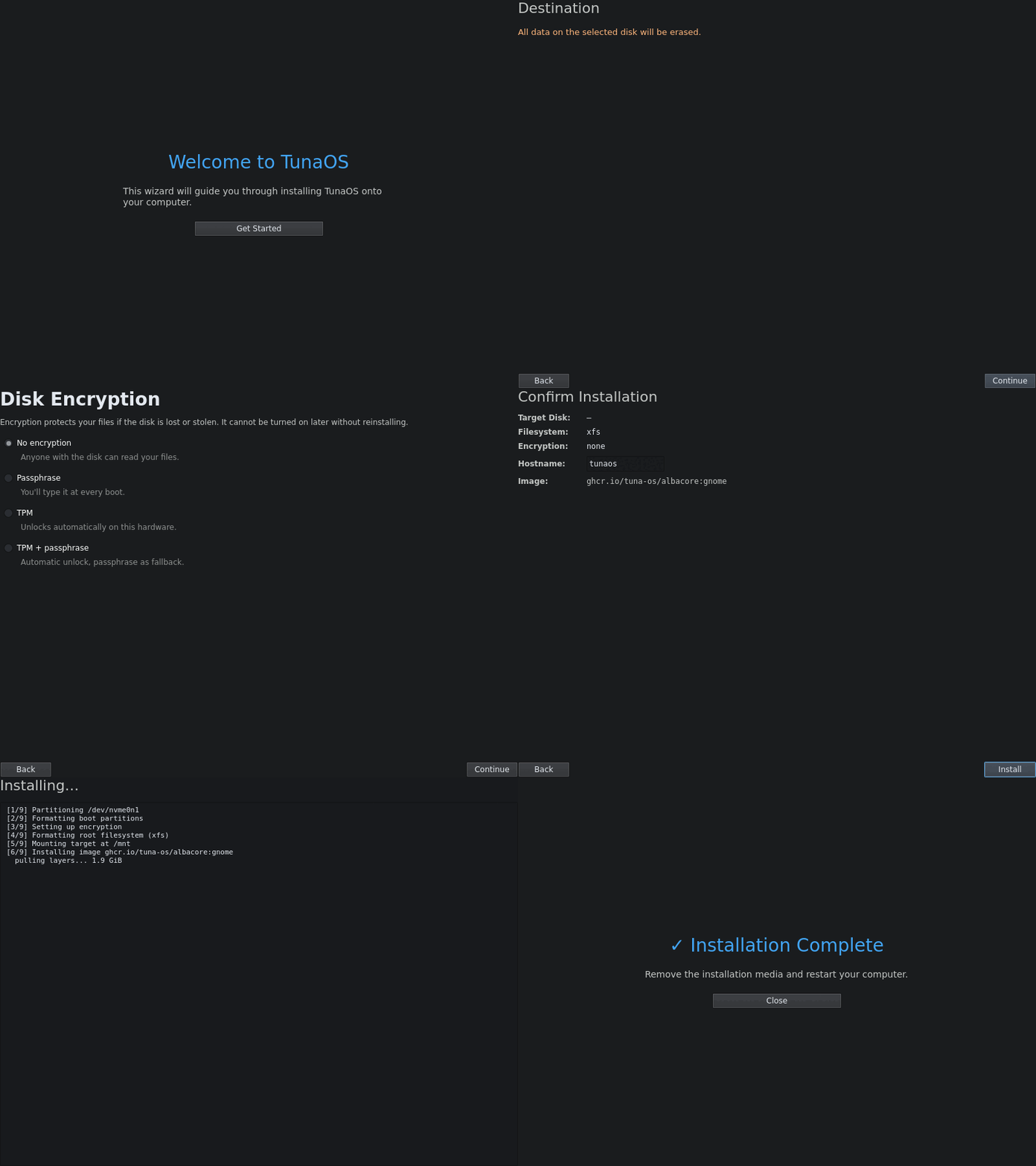
Rendered in CI from the real QML — see the walkthrough.
Quickshell/QML + Go installer for TunaOS, modeled on DankMaterialShell's architecture. Runs on the Niri scrollable-tiling Wayland compositor.
Architecture
tuna-installer-niri/
├── ui/                    # Quickshell QML wizard and theme
├── installer/             # Go backend, offline detection, readiness, and tests
├── flatpak/               # Flatpak manifest for the packaged installer
├── tests/                 # Headless GUI capture and parity-report tooling
├── docs/gui-walkthrough.md # CI-generated screen-by-screen walkthrough
└── DESIGN.md              # Interaction and visual design specification
Build
Go backend
cd installer
go build -o tuna-installer-niri .
./tuna-installer-niri discover-disks     # list block devices
./tuna-installer-niri install '{...}'     # run fisherman with a JSON recipe
QML frontend
Requires Quickshell:
quickshell ui/installer.qml
Workflow
- Welcome — intro screen
- Disk Selection — calls
tuna-installer-niri discover-disks, renderslsblk -Joutput - Encryption — offers supported LUKS and TPM-backed choices
- Confirm — summary with hostname input
- Install Progress — streams the Go backend's output
- Done — success/failure
DBus Integration
For tighter QML ↔ Go integration (future), expose the backend as a DBus service:
- Service:
org.tunaos.Installer - Object:
/org/tunaos/Installer - Methods:
DiscoverDisks(),StartInstall(disk, hostname),PollOutput(),PollStatus()
License
GPL-3.0-only
Offline installs
tuna-installer-niri detect reports the live-ISO image and embedded OCI
stores as JSON; the QML layer uses it to offer "install this system, no
download" and passes stores as additionalImageStores.
Testing
Go Backend Unit Tests
cd installer
go test ./...
Headless UI Screenshot Capture & Verification
The installer UI can be rendered and tested headlessly without running a full Wayland/Quickshell compositor:
pip install PyQt6
python3 tests/gui/capture-screens.py docs/screenshots
Contributing
Please see CONTRIBUTING.md for development workflows, testing requirements, and guidelines.
Development
cd installer && go build -o tuna-installer-backend .
TUNA_BACKEND=$PWD/tuna-installer-backend quickshell -p ../ui/installer.qml
Flatpak
flatpak-builder --user --install --force-clean build flatpak/org.tunaos.InstallerNiri.json
flatpak run org.tunaos.InstallerNiri