gui walkthrough
Every image below is rendered in CI from the real QML — the same
src/qml/Wizard.qml and the same six step modules under modules/ that the
shipped installer loads. Only src/main.cpp is swapped, for
tests/capture.cpp. Nothing about the UI is mocked or redrawn.
The capture runs on the Qt offscreen platform plugin with the software
scenegraph, inside a Fedora container that carries the KF6 runtime (Kirigami,
Kirigami Addons, org.kde.desktop Qt Quick Controls style). See
.github/workflows/screenshots.yml.
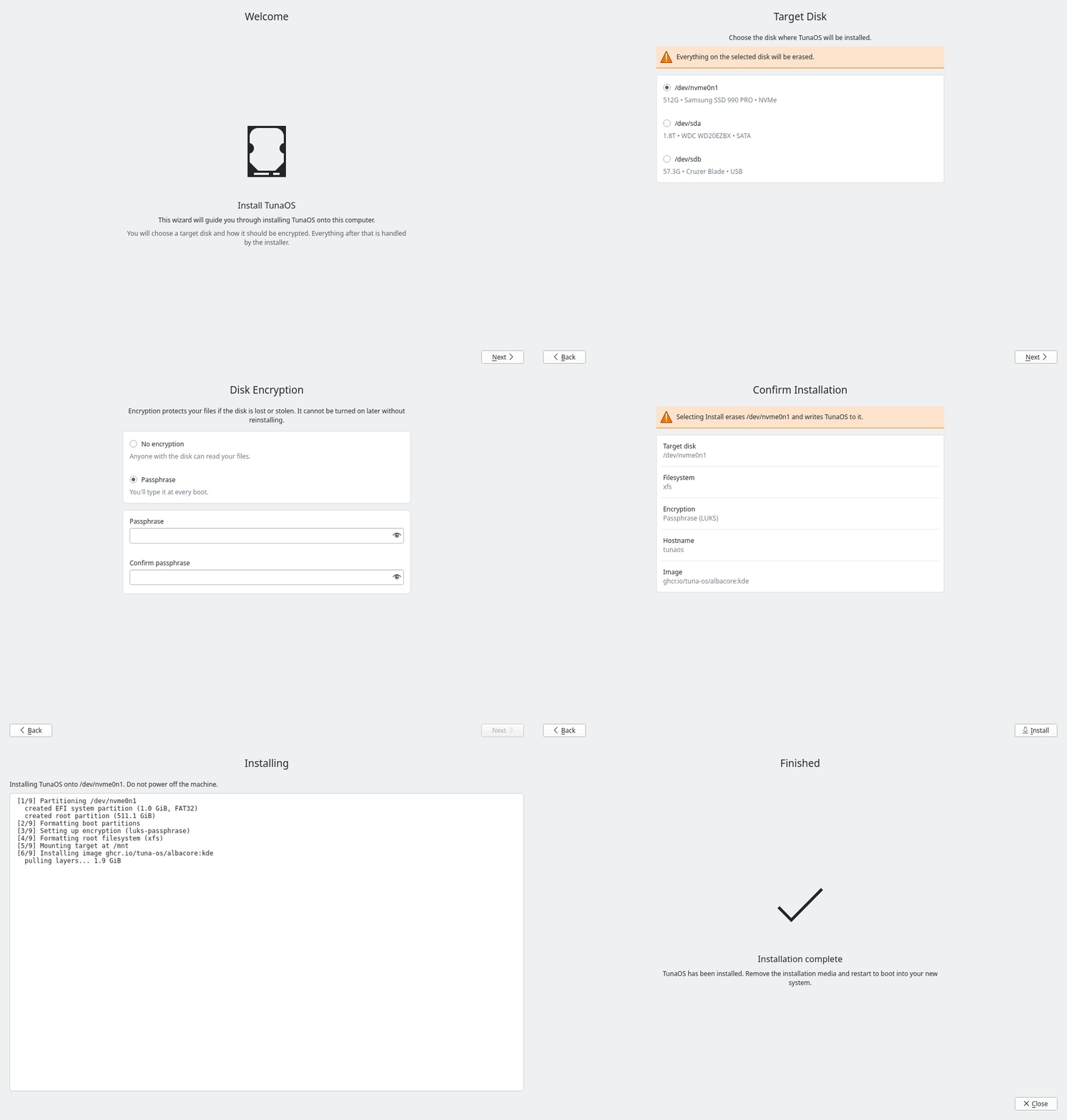
The steps
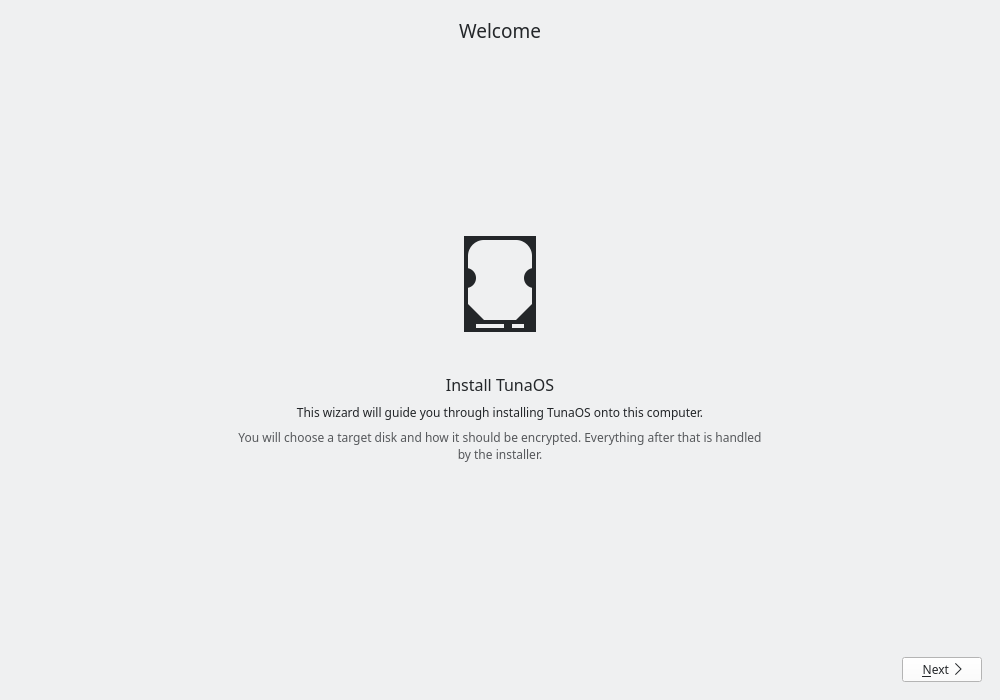 | Welcome — what the wizard is about to do. |
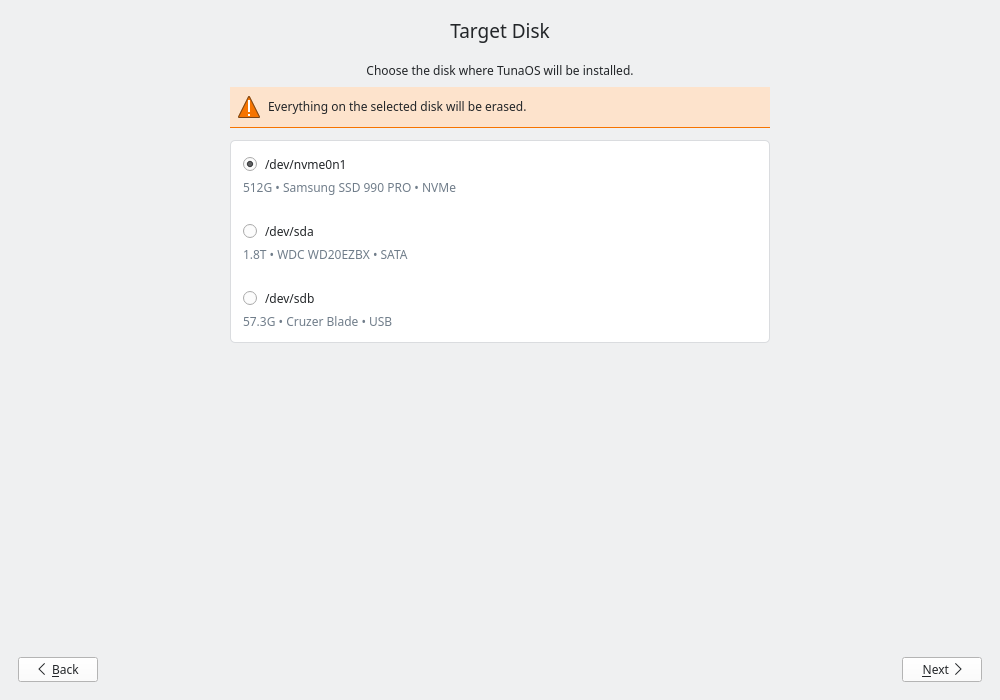 | Target disk — lsblk -J, filtered to whole disks, one FormCard radio per device. Re-read every time the step becomes current, so hotplugged media appear. |
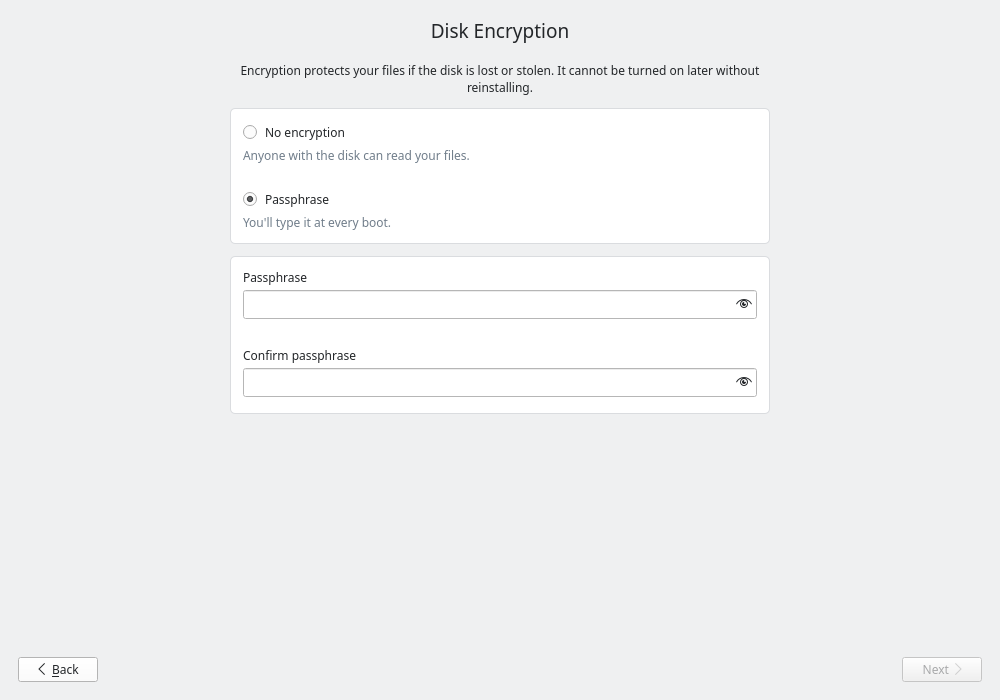 | Disk encryption — none, luks-passphrase, and (only when /sys/class/tpm/tpm0 exists) tpm2-luks and tpm2-luks-passphrase. The passphrase fields appear only for the options that take one. |
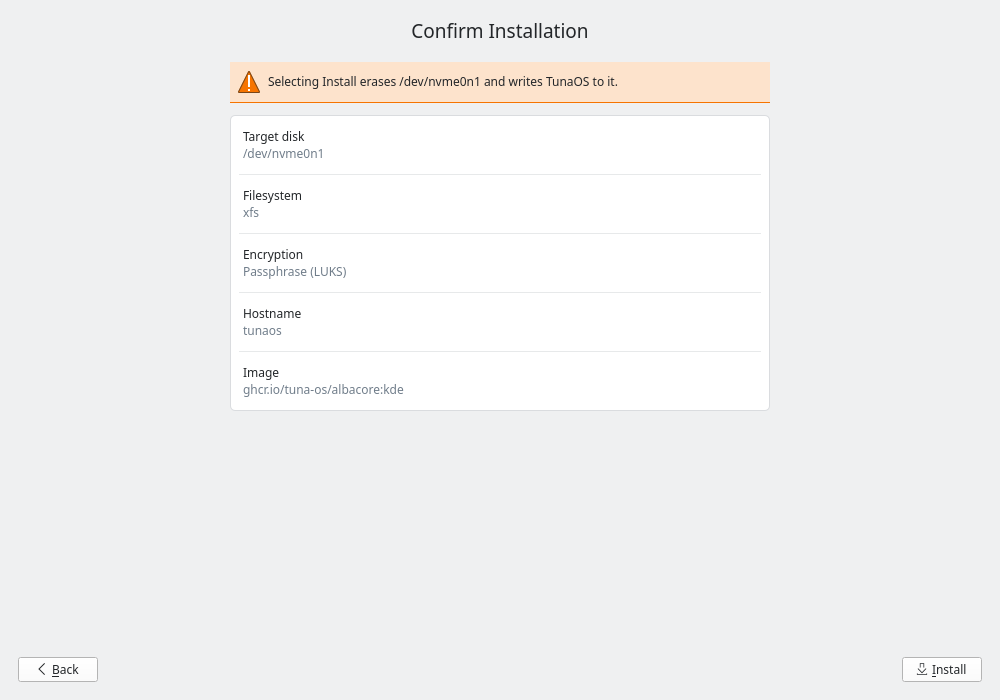 | Confirm — the recipe as it will be written, and the only button in the app that starts an install. |
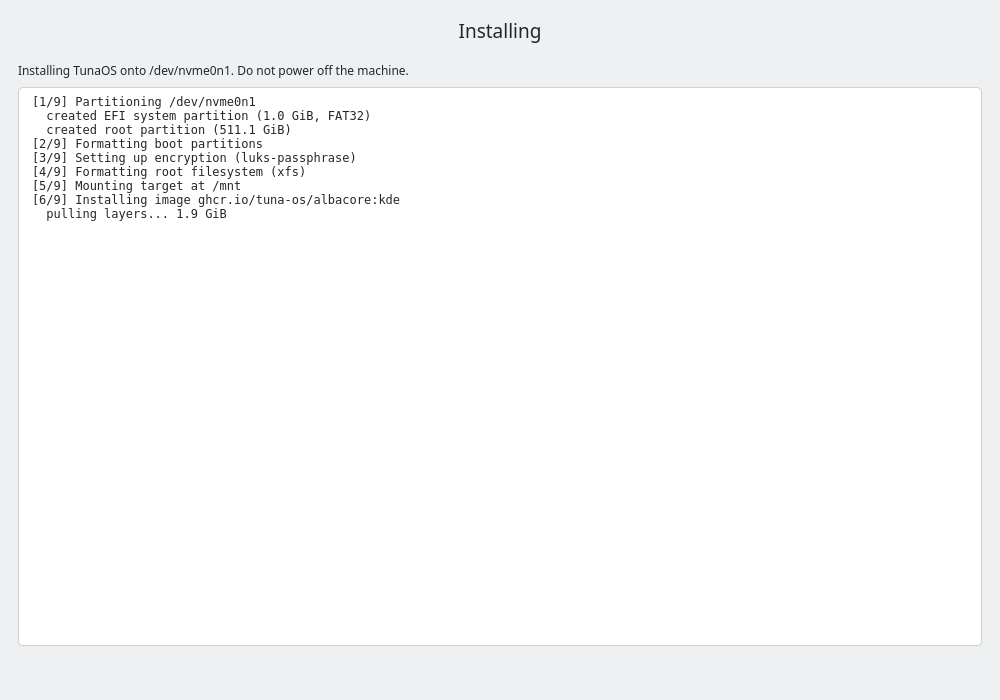 | Installing — live fisherman output. No Back, no Next: the wizard advances itself when the process exits. |
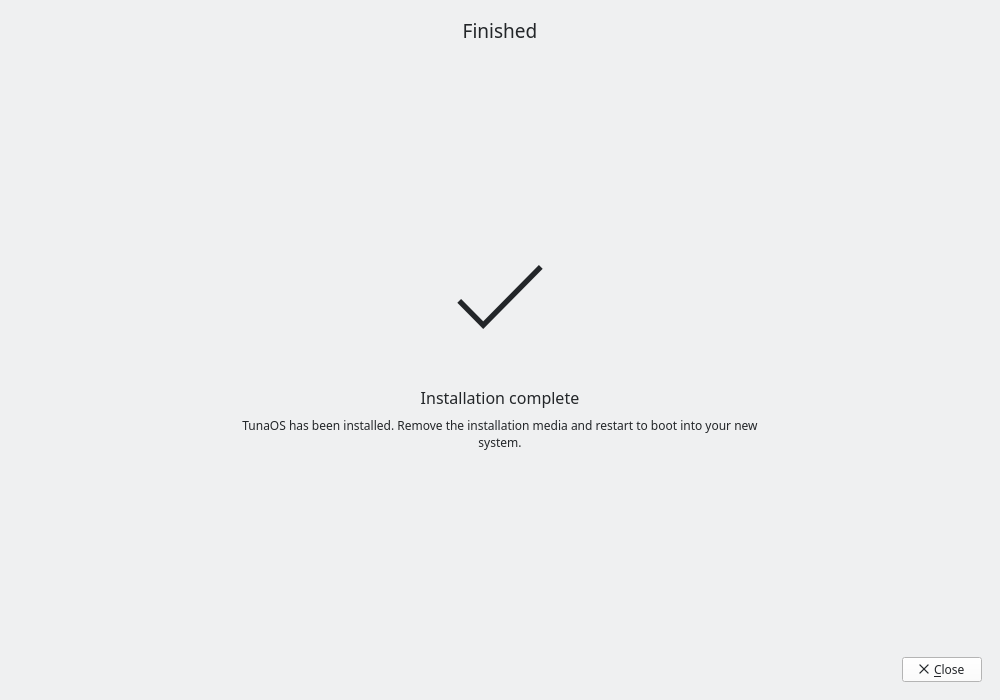 | Finished — success or failure, with the exit code. |
What the capture checks
Existence checks are not enough. A sibling repository published a blank page
while its "the PNGs exist and are non-empty" assertion passed. So
tests/capture.cpp reads its own pixels back and fails the build when a screen
did not really render:
- distinct colours — a screen that never painted collapses to a handful.
- ink — the fraction of sampled pixels far enough (Manhattan distance > 40) from the image's own dominant colour to be drawn content. Measuring against the image's own background rather than a fixed luma keeps this correct under a dark colour scheme.
- row and column spread — the fraction of sampled rows, and of sampled columns, that contain any ink. This is what actually discriminates. Density alone does not: the welcome and finished steps are hero pages — one icon, a heading, a line of prose — and legitimately score around 1% ink, while a form step with a FormCard behind it scores 30%. A blank screen scores zero on all four.
- visible step text — the strings the current step actually put in its item tree. Independent of every pixel ratio above, and the one signal that does not move with the container's fonts.
Measured on the six real screens at 1000×700 (CI run 33658389834), and the
thresholds sit below these with margin (see the table at the top of tests/capture.cpp):
| step | class | colours | ink | rows | cols |
|---|---|---|---|---|---|
| 01-welcome | hero | 198 | 0.90% | 9.0% | 45.2% |
| 02-disk | card | 280 | 21.97% | 42.7% | 53.9% |
| 03-encryption | card | 217 | 26.86% | 53.8% | 53.9% |
| 04-confirm | card | 207 | 30.12% | 56.8% | 53.9% |
| 05-progress | card | 244 | 15.34% | 100.0% | 100.0% |
| 06-done | hero | 153 | 0.47% | 7.0% | 38.0% |
Why the row floor is per-class
The spread floors are per screen class, and that is the point rather than a concession. A single global row floor turned out to measure the container image's font metrics as much as it measured rendering (#57).
When the workflow moved to fedora:45, the three card steps did not move at
all, while both hero pages roughly halved — welcome 23.2% → 9.0%, done 15.5% →
7.0% — taking ink and colour count down with them and leaving columns nearly
untouched. That is the signature of a smaller Kirigami.Units.gridUnit, which
is derived from font metrics: a hero page sizes its icon, its spacings and its
wrapped prose off it, so the entire column scales with the font. A card step
barely moves, because its row coverage comes from the card background painting
the rect rather than from text. The done page was rendering perfectly and the
check called it blank.
So the two classes are not measuring the same quantity and cannot share a floor. Splitting them tightens the check where it can bite — the card floor rises from 8% to 20%, against a sparsest measured 42.7% — and only relaxes it on the class where the number tracked the font. The semantic text assertion backs both up: a page that drew nothing carries no text whatever the fonts do.
Every run prints these numbers and the class each floor was applied under, so a drift is visible in the log before it is a mystery. The capture also clears the output directory before rendering: a run that dies on the first screen must not leave the previous run's images there for the artifact upload to publish as its own.
The screenshot artifact is uploaded with if: always() — it is needed
precisely when the capture fails.
Why this cannot start an install
The harness drives navigation through Wizard.goToStep(), which moves the
visible step and calls the target module's onPageActivated(). The only
onPageActivated() in the tree is the disk step's, and it re-reads lsblk and
nothing else. InstallerController.startInstall() — the sole path to a
privileged fisherman process — has exactly one caller, the Install button's
onClicked in Wizard.qml, which the harness never presses.
Worth stating explicitly: the sibling XFCE installer does kick off an install from its page-enter hook, so "drive the steps" is not automatically harmless across this family of frontends.