index

Tavern is a modern, fast, and beautiful Homebrew client for Linux, built with Python, GTK 4, and Libadwaita. It provides a premium "App Store" experience for managing your Homebrew formulae and casks.
Quick Install
Flatpak (Linux, recommended, with automatic updates):
flatpak remote-add --user --if-not-exists tuna-os https://tunaos.org/flatpak/tuna-os.flatpakrepo
flatpak install --user tuna-os org.tunaos.tavern
Homebrew (macOS + Linux):
brew tap tuna-os/homebrew-tap && brew install --cask tuna-os/tap/tavern
On macOS this installs Tavern.app; on Linux it installs a prebuilt AppImage and symlinks it as tavern on your PATH.
[!NOTE] The Homebrew cask lives in the org-owned
tuna-os/homebrew-tap(moved from the maintainer's personal tap, tuna-os/Tavern#79 — tuna-os/homebrew-tap#3, merged 2026-08-14). No personal-tap fallback is needed. The Flatpak above remains the org-published, recommended channel either way.
[!IMPORTANT] ⚠️ Attribution & Disclaimer Tavern is a completely AI-generated project and limited in it's use to just Homebrew. The UI design is a heavy "tribute" (read: shameless ripoff) of Bazaar, which is the best App Store for Linux. If you like this design, you should definitely check out the original project, made by humans and consider supporting the fine folks that make it.
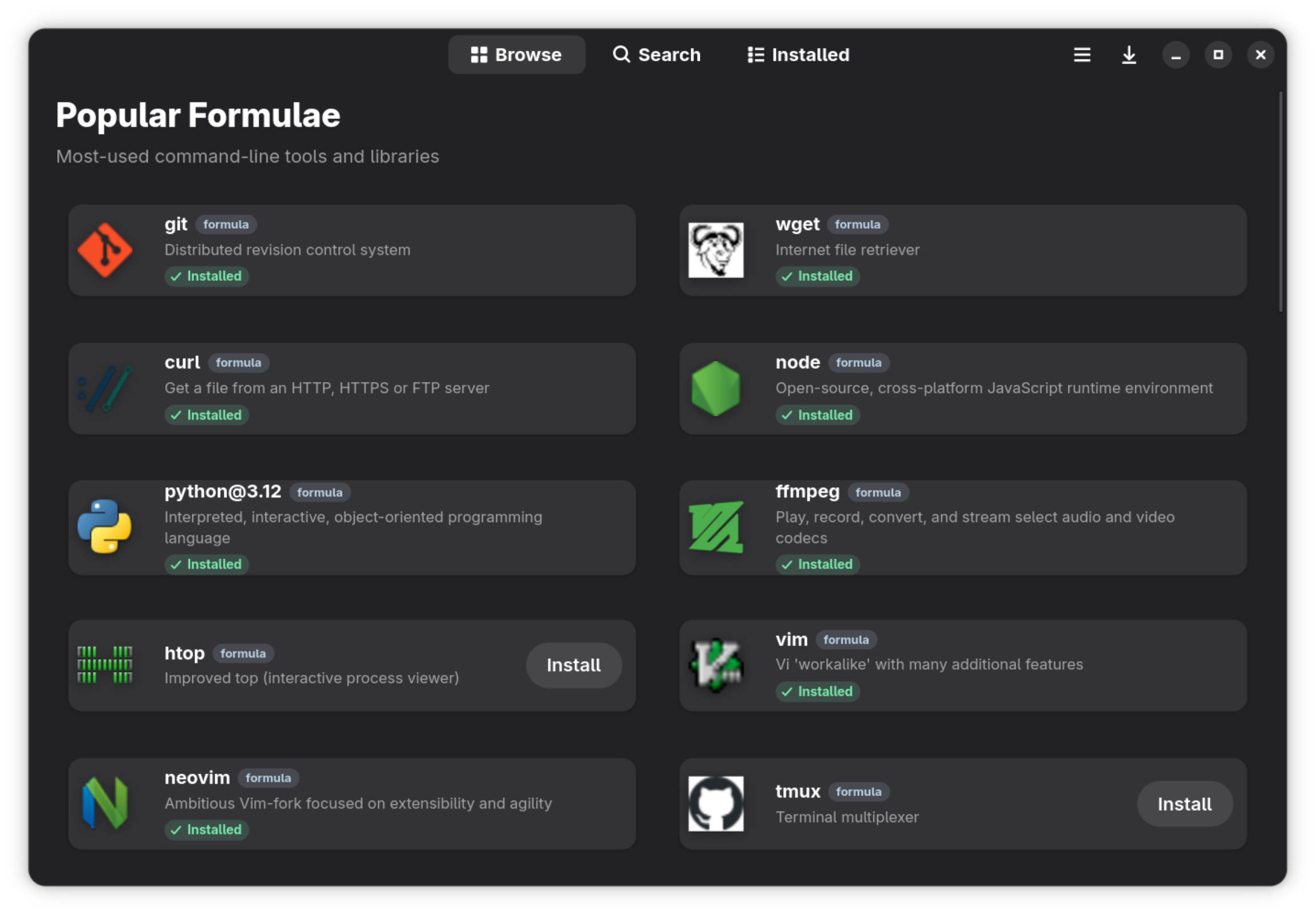
📸 Screenshot Walkthrough
Main window
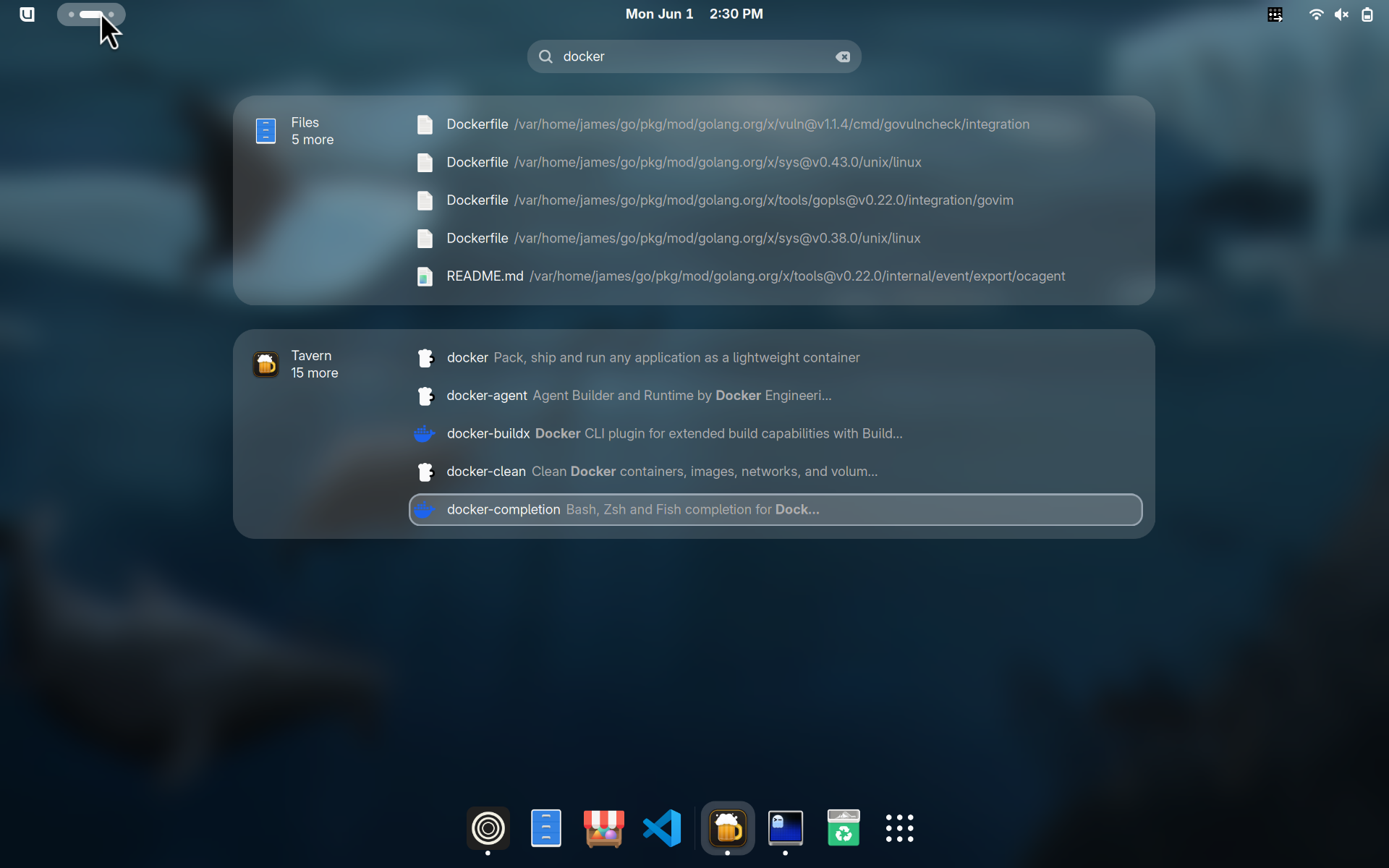
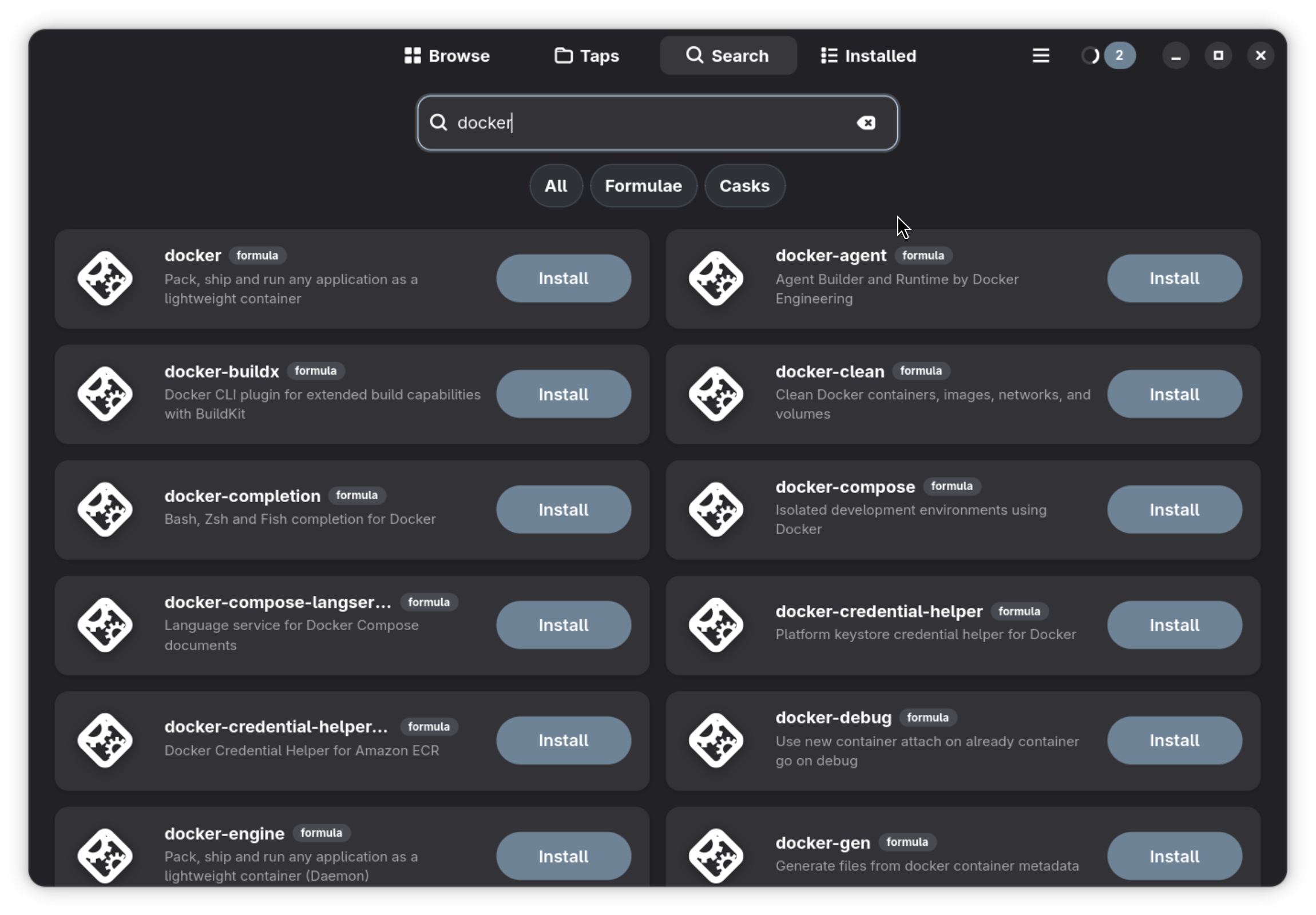
Search workflow
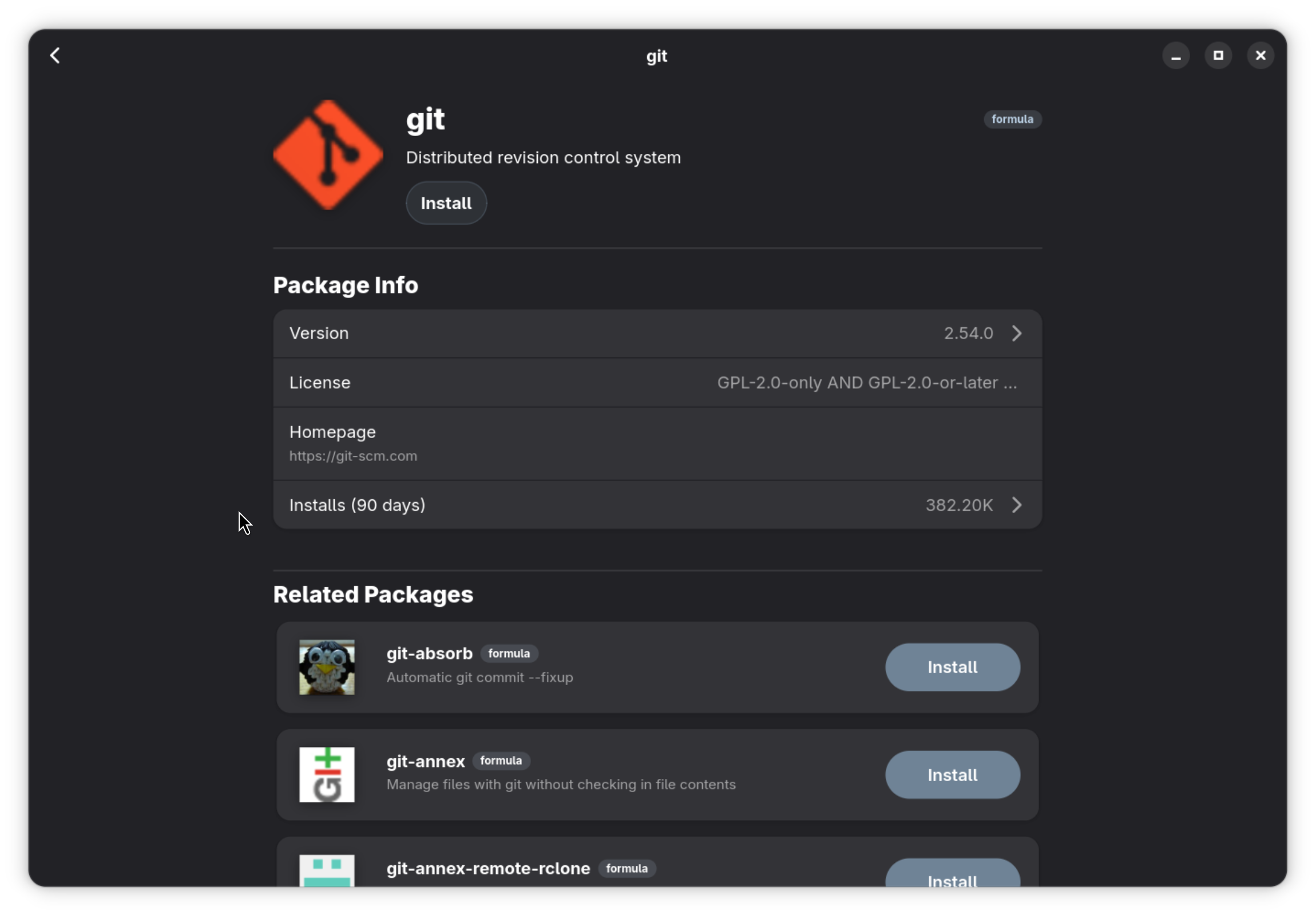
Package details
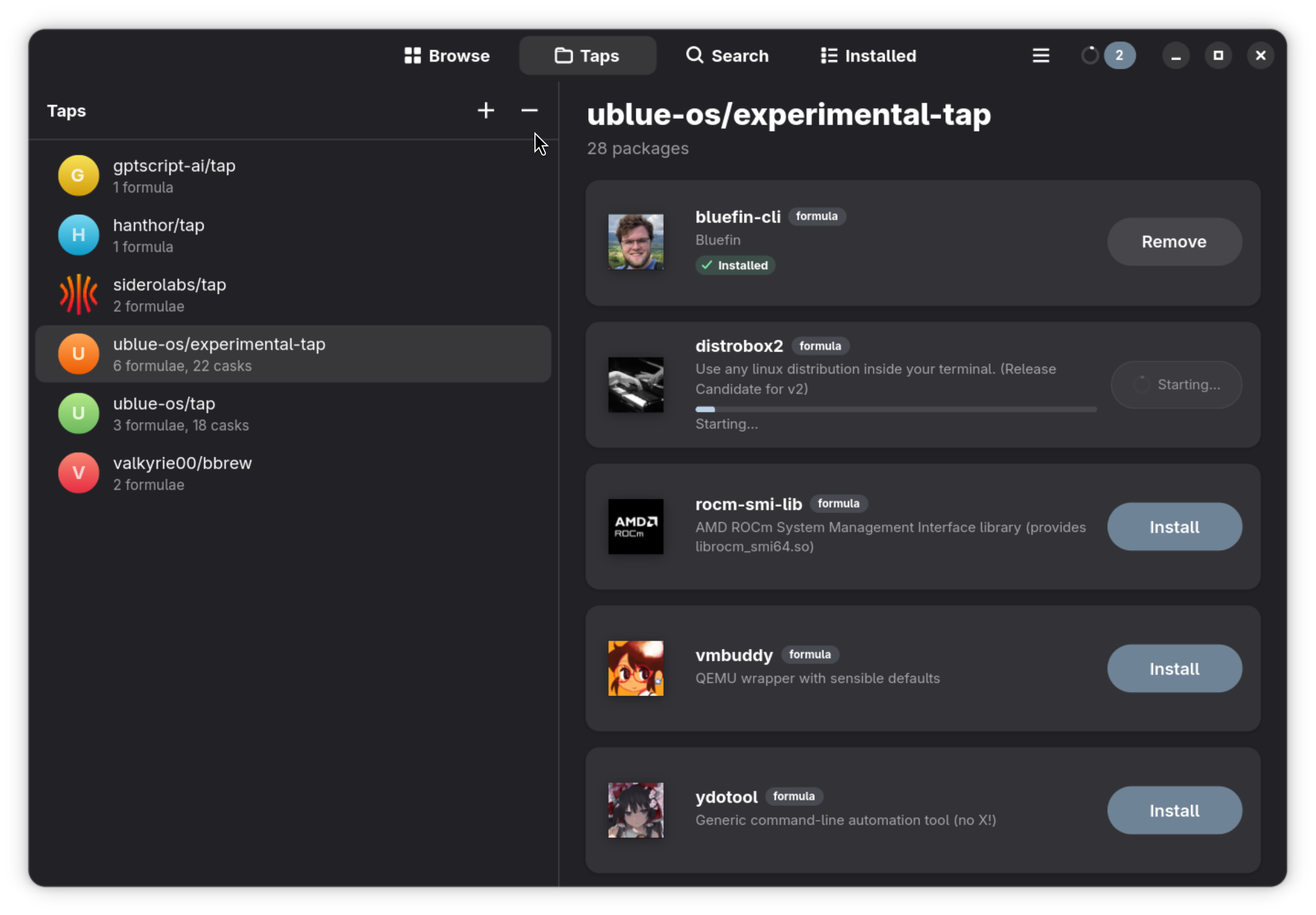
Taps browser
✨ Features
- 🏠 Curated Browse: Popular formulae and casks ranked by real install analytics, plus a daily Discover rotation.
- 🔍 Fast Search: Instant, off-main-thread searching across tens of thousands of formulae and casks (Ctrl+F), plus GNOME Shell search integration.
- 📦 Package Details: Rich information including descriptions, versions, dependencies, READMEs, screenshots, and install statistics.
- 🔤 Font Previews: Font casks render live pangram previews right on the details page.
- 📌 Version Pinning: Pin formulae and casks to their installed version; pinned packages stay out of update prompts.
- 📄 Brewfile Support: Open and manage
.Brewfiles to bulk-install or remove entire environments. - ⚡ Task Management: Queued installs, removals, and upgrades with per-package progress and a task panel.
- 🫖 Tap Manager: Add, remove, update, and trust Homebrew taps; browse tap contents.
- 🌗 Native Design: Libadwaita interface following the GNOME HIG — dark mode, adaptive layouts, keyboard shortcuts, and a preferences dialog.
- 🐧 Linux First: Smart filtering to hide macOS-only casks on Linux systems.
🚀 Getting Started
Quick Installation via Homebrew
The easiest way to install Tavern is via Homebrew using the org tap,
tuna-os/tap:
brew tap tuna-os/homebrew-tap
brew install --cask tuna-os/tap/tavern
[!NOTE] This is the org-owned channel (tuna-os/Tavern#79, tuna-os/homebrew-tap#3, merged 2026-08-14). On Linux the Flatpak is the org-published, recommended install.
The cask handles both platforms: Tavern.app on macOS and a prebuilt AppImage on Linux, so you don't need Tavern's build dependencies on your machine. If you'd prefer a sandboxed install on Linux, use the Flatpak instead (see below).
Prerequisites
- Homebrew installed and in your PATH.
- Python 3.10+
- GTK 4 and Libadwaita development headers.
brew install gtk4 libadwaita meson ninja pygobject3 gettext desktop-file-utils blueprint-compiler
Installation (Development)
-
Clone the repository:
git clone https://github.com/tuna-os/Tavern.gitcd Tavern -
Run the build and launch script:
./run.sh
🛠️ Development
Building with Meson
meson setup builddir
meson compile -C builddir
Running
meson compile -C builddir run
📦 Flatpak
Install from the custom OCI Remote (Recommended)
To get automatic updates directly through your software center (like GNOME Software or KDE Discover) or CLI, add the official tuna-os OCI remote:
flatpak remote-add --user --if-not-exists tuna-os https://tunaos.org/flatpak/tuna-os.flatpakrepo
flatpak install --user tuna-os org.tunaos.tavern
Install a single standalone bundle from CI
If you prefer to install a one-off nightly build from the main branch:
wget https://nightly.link/tuna-os/Tavern/workflows/flatpak/main/Tavern-Linux-CI.zip
unzip Tavern-Linux-CI.zip
flatpak install --user --reinstall Tavern-Linux-CI.flatpak
🤝 Contributing
Contributions are welcome! See CONTRIBUTING.md for dev setup, tests, and PR guidelines.
📄 License
Tavern is released under the GPL-3.0-or-later license. See LICENSE for details.
Part of the TunaOS ecosystem. Docs · Contributing