TUI and Web UI walkthrough
Corral has three views of the same fleet: commands for automation, a terminal UI for fast operations, and a browser dashboard for visual management. Try the complete interface without a hypervisor or cluster:
corral --demo
corral web --demo
Demo mode uses the real interface and API code against an in-memory fleet. It is safe to start, stop, tag, and delete its instances.
Terminal UI
Run corral with no subcommand. The left pane is a searchable inventory; on a
wide terminal, the right pane explains the selected instance's backend,
context, canonical ID, placement, address, resources, and capabilities.
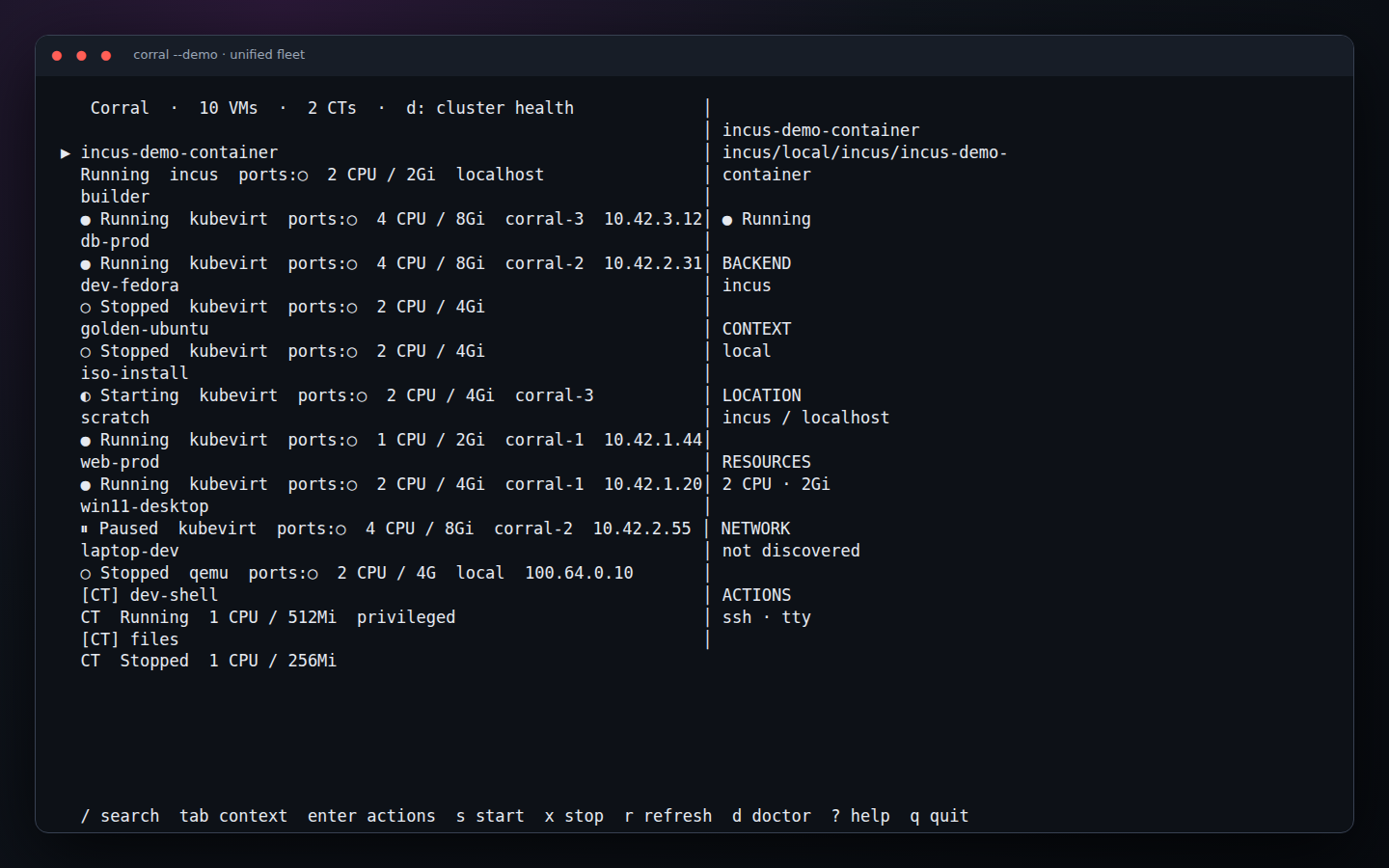
The footer is the everyday command map:
| Key | Action |
|---|---|
↑ / ↓ | Move through the fleet |
/ | Search names, IDs, backends, contexts, nodes, and addresses |
Tab, [ / ] | Cycle the full fleet and individual contexts |
Enter | Open actions supported by the selected instance |
s / x | Start or stop the selected instance |
r | Refresh all visible backends |
d | Open backend-aware Doctor results |
? | Open the command deck |
q | Quit |
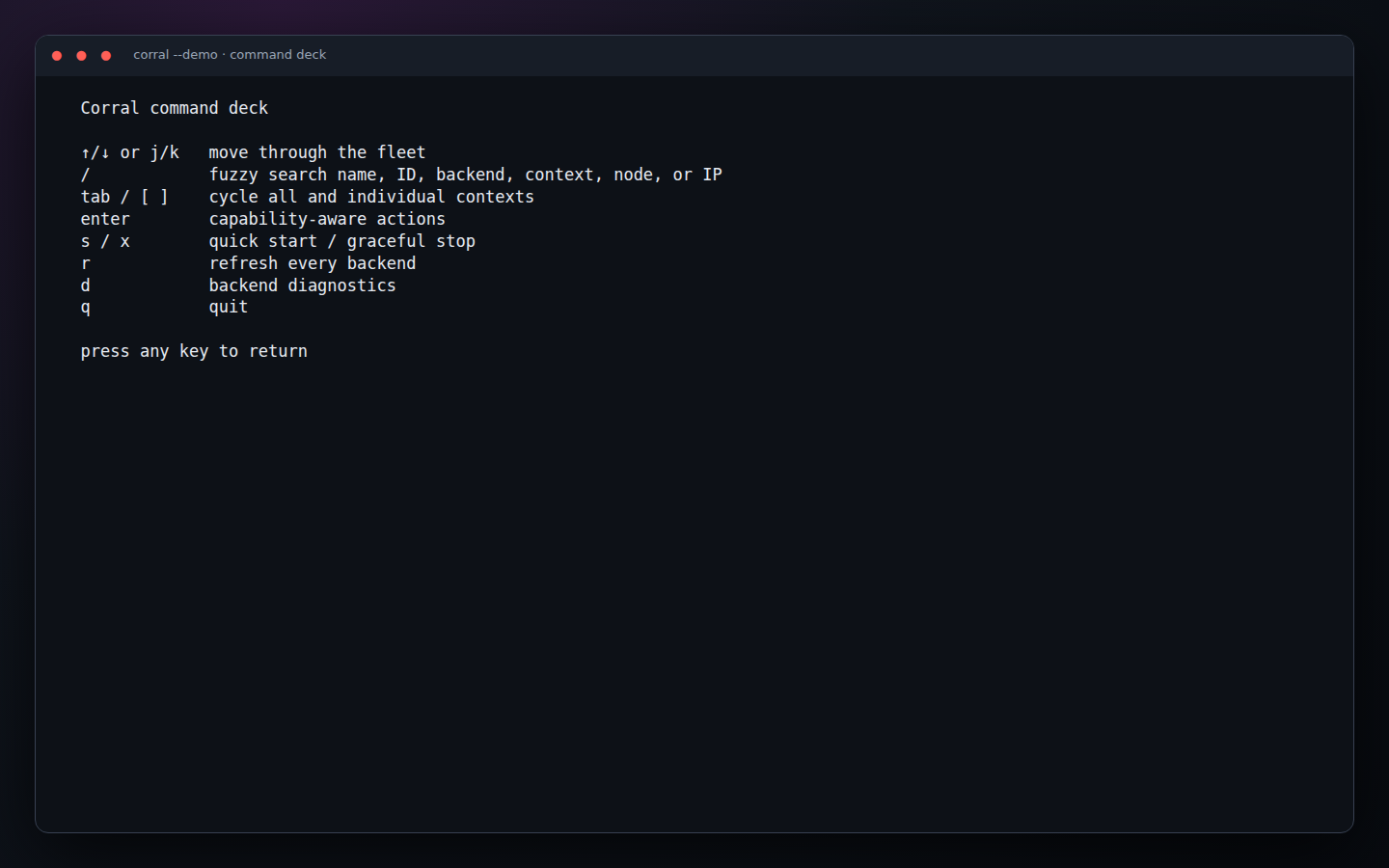
Actions are capability-aware. A KubeVirt VM can expose migration and snapshot operations that do not appear for a backend that cannot perform them. Partial backend failures become warnings; they do not hide healthy instances.
Web dashboard
Start the local server and open http://127.0.0.1:8006:
corral web
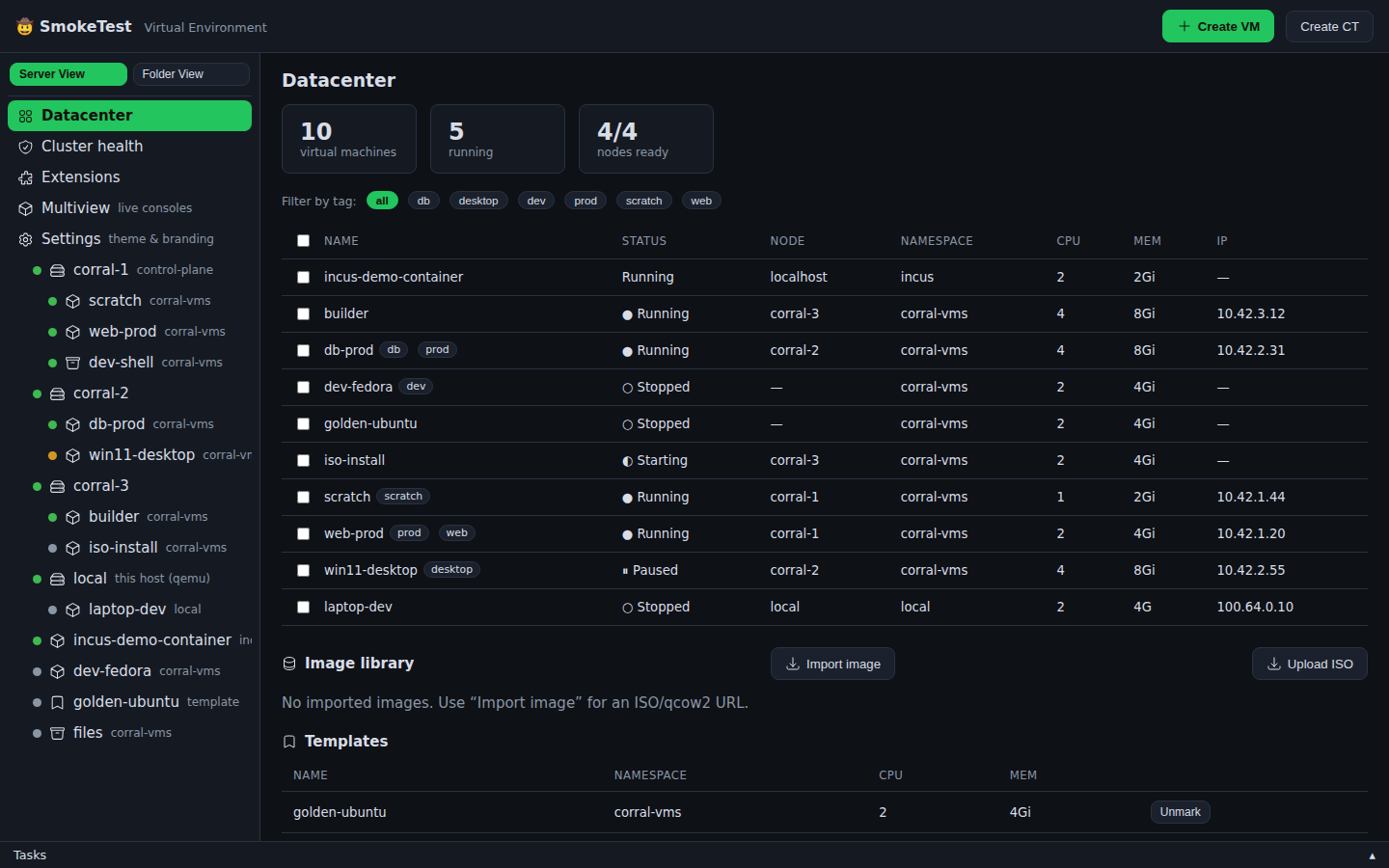
The Datacenter page aggregates every configured context and peer. Use the tree to move between fleet, node, VM, container, health, extension, multiview, and settings pages. Tags and bulk selection make a large fleet manageable.
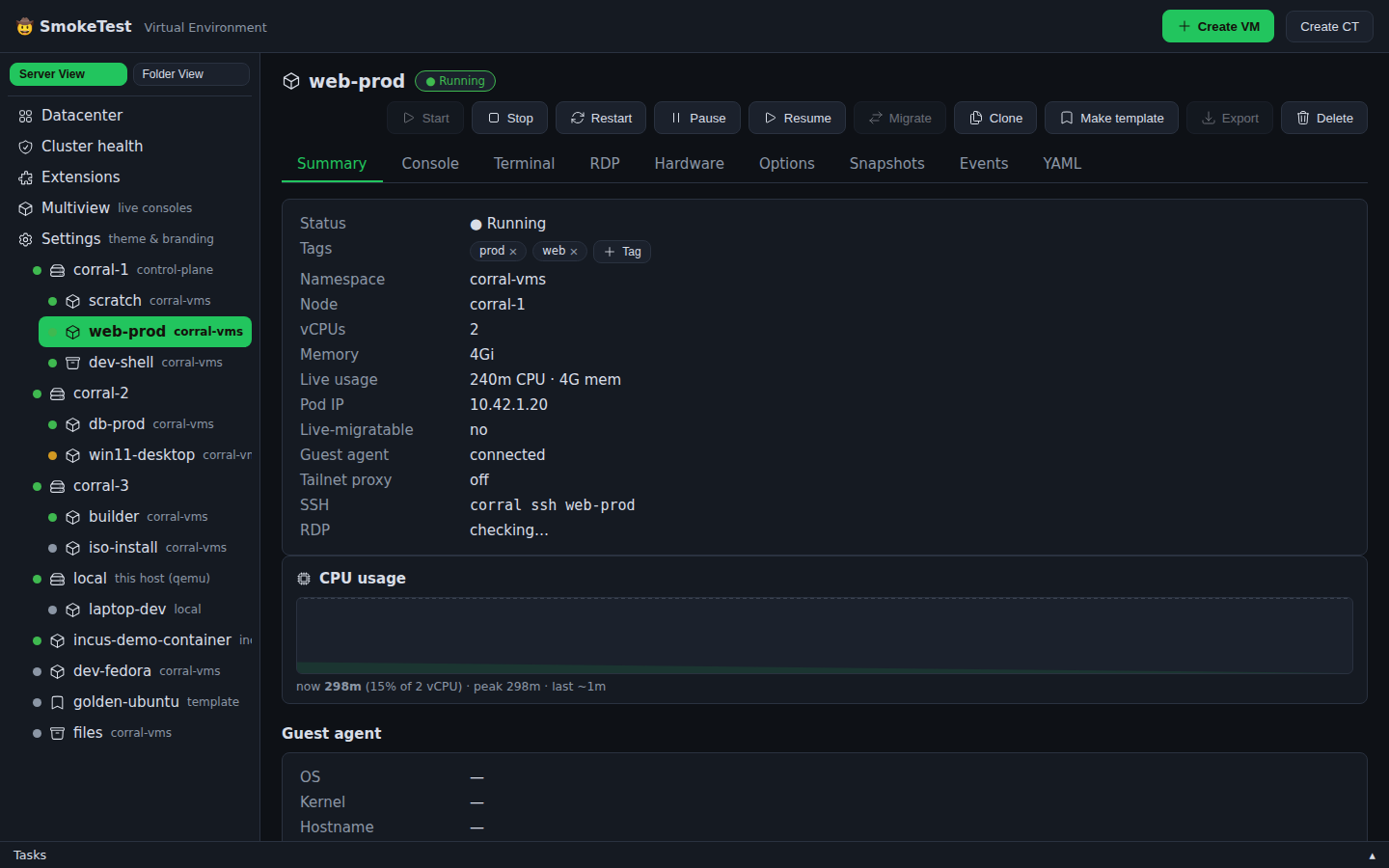
Select an instance to see its canonical identity and live state. Lifecycle, console, hardware, networking, snapshot, and export controls are shown only where the backend supports them.
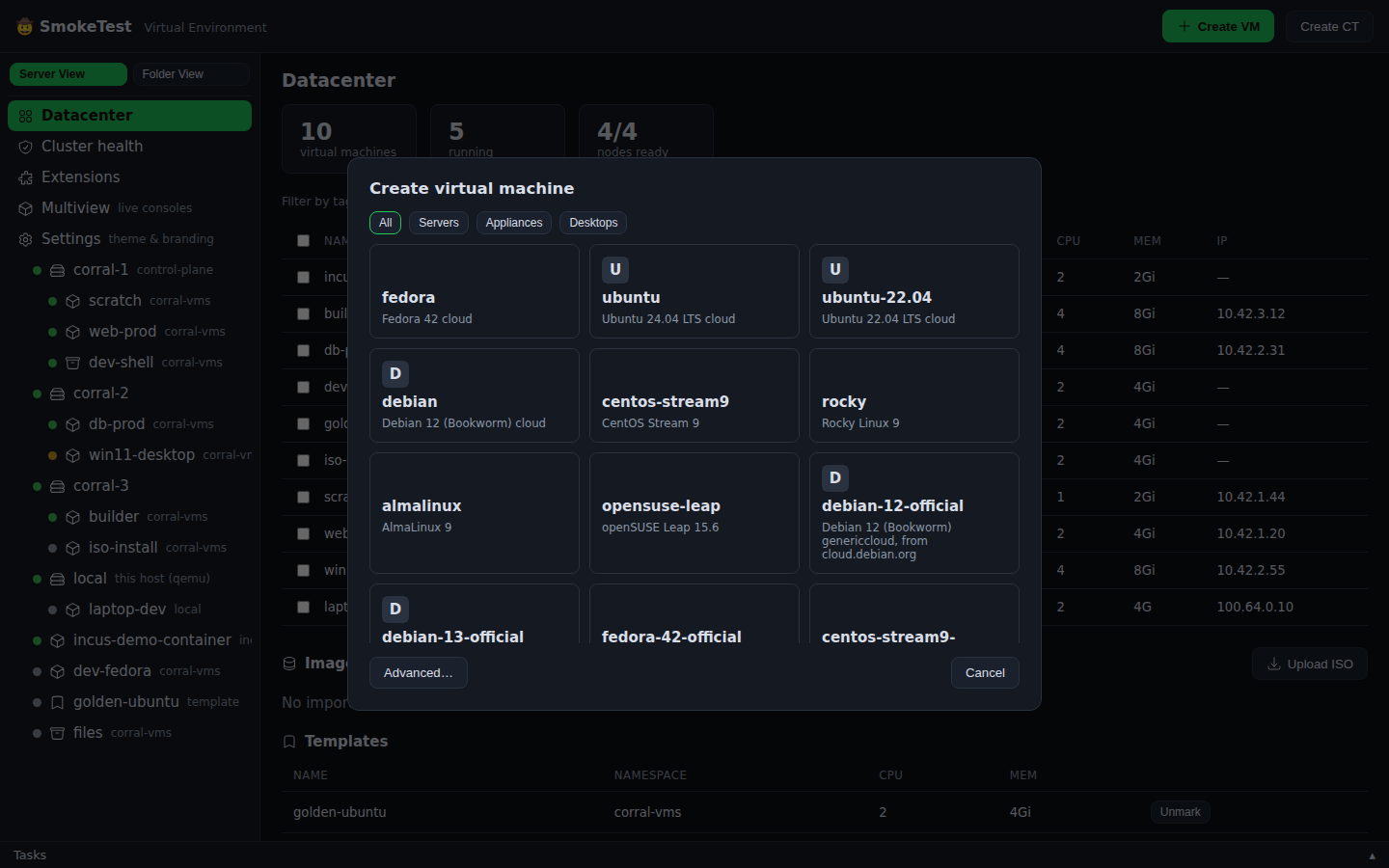
Create an instance
- Select Create VM.
- Choose a catalog image, container disk, URL, ISO, PVC, or supported plugin workflow.
- Choose the destination backend/context and resources.
- Review networking and cloud-init, then create.
Diagnose a target
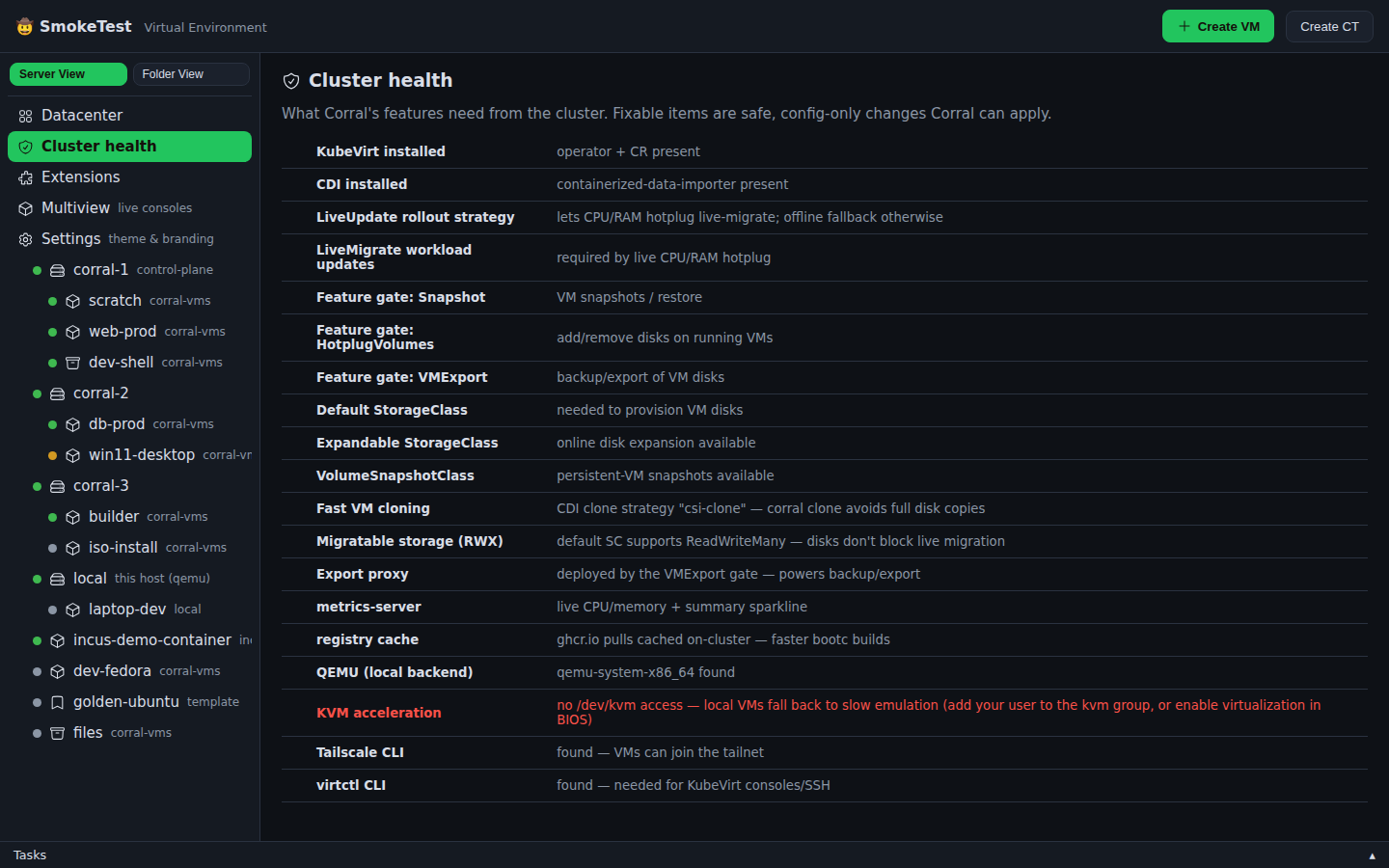
Select Cluster health to see checks relevant to the configured backends.
The CLI equivalent is corral doctor; scope either surface to a context when
debugging one remote.
Remote web and Corral peers
An in-cluster corral web can be added to a local dashboard even when the
local machine has no kubeconfig:
corral peer add homelab https://corral.example.ts.net --token "$CORRAL_PEER_TOKEN"
corral peer list
Corral prefers a directly reachable guest endpoint. If that probe fails, CLI SSH/console commands and the browser can relay through the remote Corral. Tailscale is a first-class discovery and ingress option, but ordinary Kubernetes ingress and private networks are supported too.
Rebuild these screenshots
The images on this page are not hand-edited mockups. From a Corral checkout:
npm install --prefix e2e
node scripts/capture-docs.mjs ../docs/static/img/screenshots/corral
The script starts corral web --demo, drives Chromium, runs the real TUI under
tmux, and overwrites the complete screenshot set deterministically.