BlueShell now follows your desktop — and your AI agents

Two updates landed in BlueShell, the TunaOS container-native terminal, that make it feel more at home on your desktop and more aware of what's running inside it: full system light/dark theming out of the box, and opt-in, herdr-style agent-aware tabs that tell you when an AI coding agent is working, waiting on you, or done.
Light desktop, light terminal
BlueShell now follows the desktop light/dark preference with zero configuration: a light desktop gets a light terminal (with a GNOME/Adwaita-derived palette), a dark desktop gets the classic Ghostty dark colors — and switching your system style repaints open terminals live, chrome and colors both.
The Ptyxis-style System / Light / Dark picker in the main menu is now fully wired too: forcing Light gives you a light terminal even on a dark desktop, and it applies instantly, no restart. Palettes picked in Preferences also carry both their light and dark variants, so your chosen color scheme follows the system style just like the rest of the app.
| Light | Dark |
|---|---|
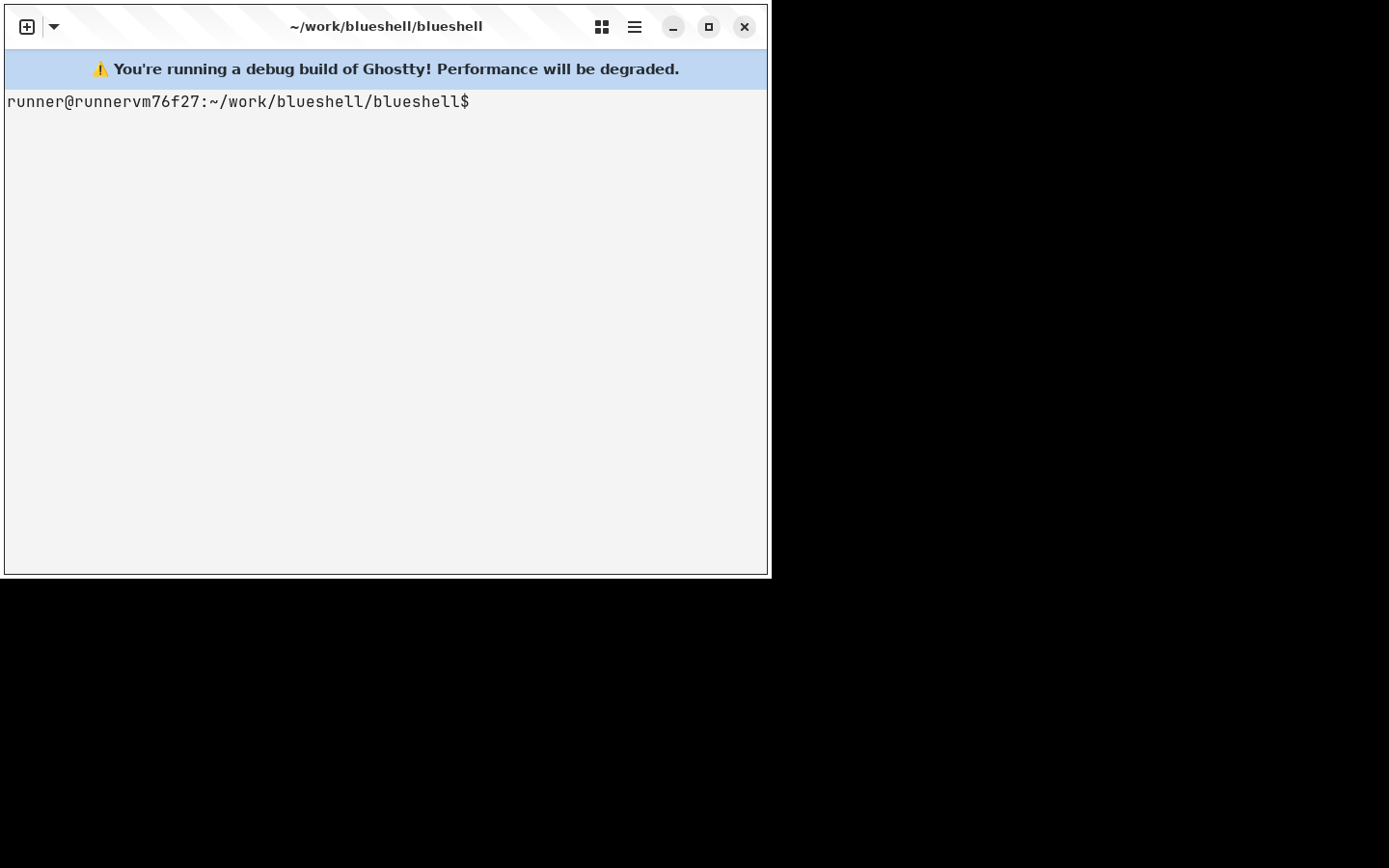 | 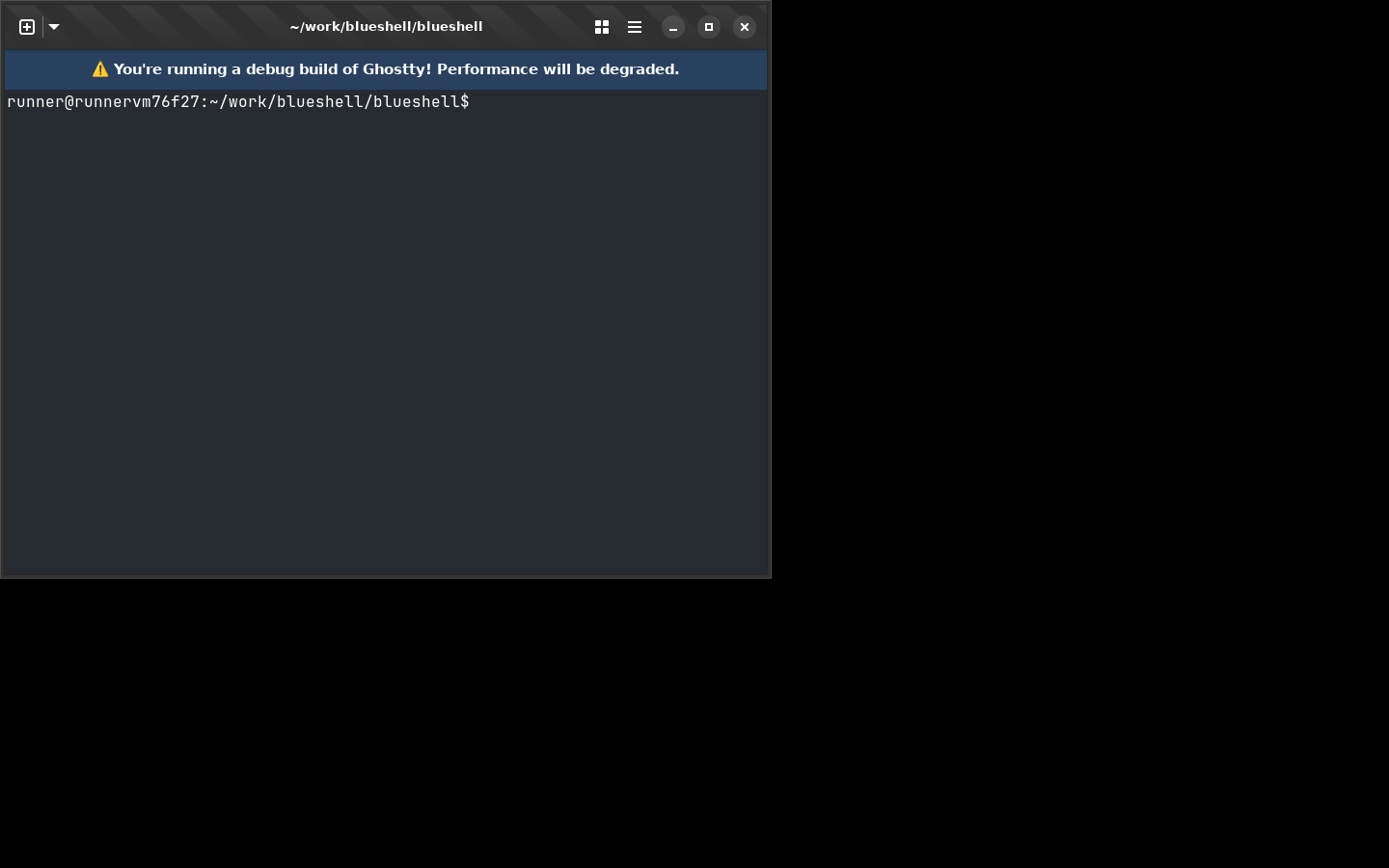 |
If you've set explicit colors or a single theme in your config, nothing changes — your settings always win. The new behavior only fills in the defaults.
Agent-aware tabs (preview)
If you run Claude Code, Codex, aider, or friends in your terminal, you know the failure mode: the agent asked a question five minutes ago, and it's been sitting there in an unfocused tab ever since.
Inspired by herdr, BlueShell can now watch the tabs you tell it to. List your agents in the config:
agent-detect = claude
agent-detect = codex
agent-notify = true
agent-colors = true
and BlueShell tracks each detected agent through a small state machine — working while output flows, blocked when it goes quiet on an approval-style question, idle at its input prompt, done when it exits. The state shows as a badge on the tab (the tab overview becomes your agent dashboard), a desktop notification fires when an unfocused agent gets blocked or finishes, the blocked tab's background tints amber until the agent resumes, and Next Blocked Agent in the main menu jumps you straight to whoever is waiting.
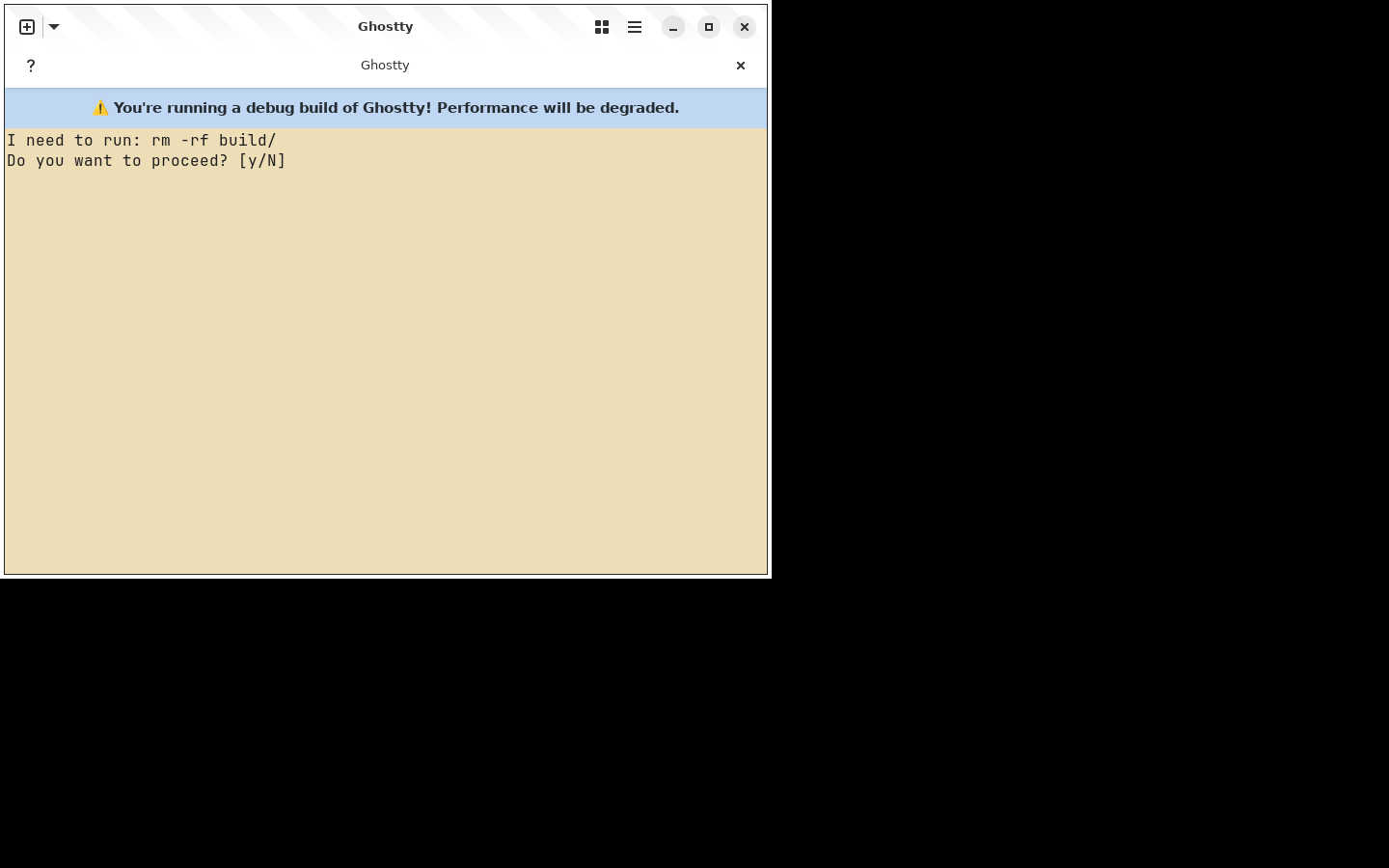
A few honest notes, because this feature is deliberately shipping as a preview:
- It's off by default. No
agent-detect, no monitoring, no overhead. - Classification is heuristic — process detection plus output quiescence plus prompt-pattern matching, the same pragmatic approach herdr takes. Expect the occasional misread while we tune the patterns.
- BlueShell observes and surfaces; you act. It never types into, approves for, or drives the agents themselves.
- Session persistence (close the laptop, agents keep working) is not part of this — that's the next tier of the RFC, where we'd rather interoperate with herdr than reimplement it.
Screenshots straight from CI
The images in this post aren't hand-taken: BlueShell's CI runs a headless screenshot walkthrough of the app on every change and publishes the latest shots to a stable branch. The BlueShell docs page embeds the same URLs, so what you see there is always what the current build actually looks like.
Try it
The nightly Flatpak bundle has everything in this post:
curl -L https://nightly.link/tuna-os/blueshell/workflows/ghostty-ptyxis/ptyxis-port/BlueShell.flatpak.zip \
  -o BlueShell.flatpak.zip \
  && unzip -o BlueShell.flatpak.zip \
  && flatpak install --user --reinstall BlueShell.flatpak
Feedback on the agent heuristics — false blocked alarms, agents we should detect out of the box, pattern ideas — is very welcome on the RFC issue.